

Executive Summary: Optimizing Field Service Dispatch in 2026
Managing field technician schedules across multiple client sites requires real-time dispatch visibility, intelligent route planning, and instant mobile job assignment. Implementing modern field service scheduling software eliminates phone tag between dispatchers and crews, reduces technician travel time by 35%, prevents missed customer appointments, and accelerates billable job completion through automated digital work orders.
Every field service company encounters the daily challenge of dispatch coordination. At 8:00 AM, phones ring with emergency maintenance requests, scheduled installations shift due to bad weather, and technicians find themselves stuck in heavy highway traffic. In traditional operations, office dispatchers rely on whiteboard calendars, endless WhatsApp messages, and paper work orders to manage technician whereabouts.
When service teams outgrow manual methods, operational blind spots multiply. Dispatchers double-book technicians, urgent customer calls get forgotten, and mobile crews waste precious billable hours driving back and forth across town. Modern trade contractors and service companies solve these bottlenecks by deploying dedicated field service scheduling software to centralize dispatching, optimize travel routes, and synchronize job details in real time.
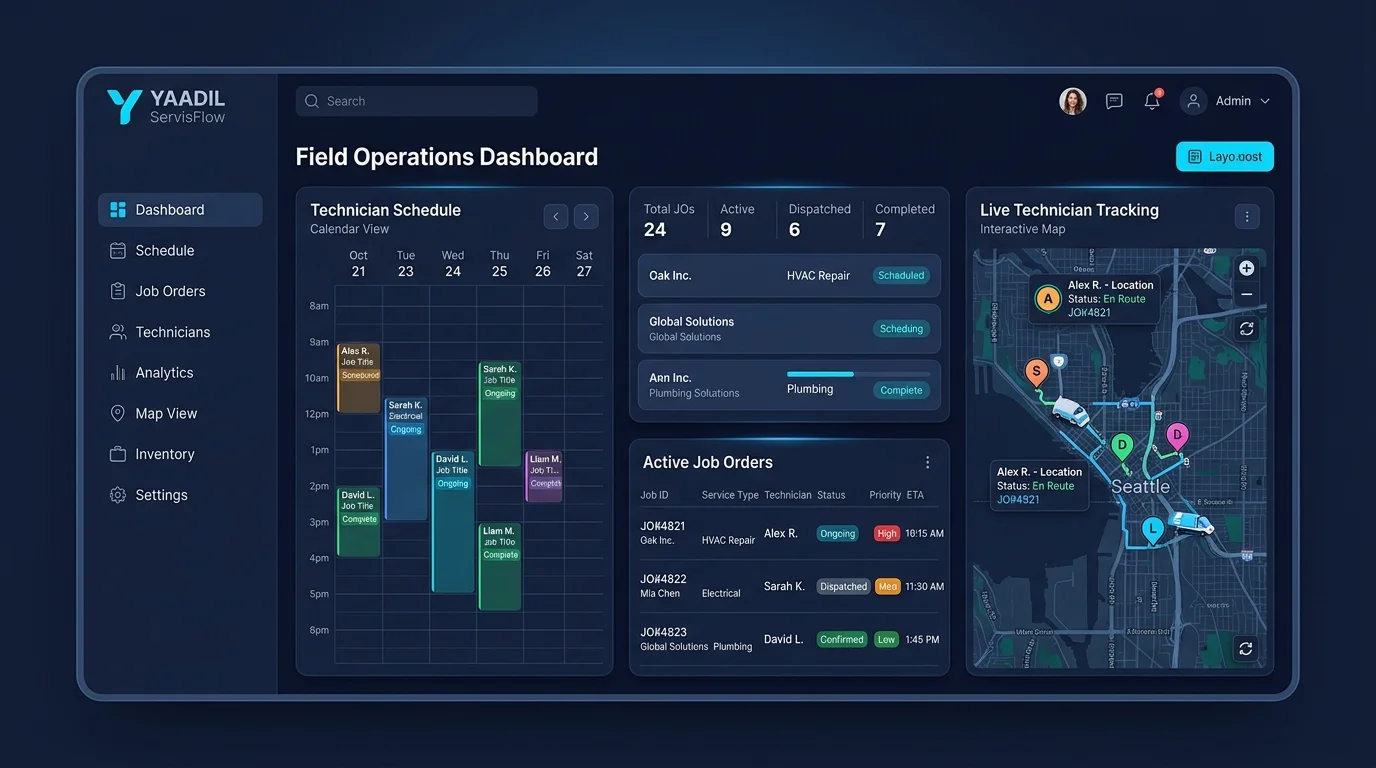
Why Growing Service Businesses Need Field Service Scheduling Software
Manual dispatch processes create costly friction that directly harms customer retention and operational profit margins. Relying on spreadsheets and messaging apps exposes service businesses to four major risks:
- Unproductive Travel & High Fuel Costs: Without route optimization, technicians crisscross coverage areas inefficiently, burning expensive fuel and wasting up to two billable hours per technician each day in traffic.
- Slow Emergency Response Times: When a high-value commercial client reports an urgent breakdown, dispatchers cannot quickly see who is nearest to the site with the right spare parts and certifications.
- Technician Overbooking & Burnout: Miscalculating travel buffers and job durations causes severe scheduling delays. Technicians arrive late to subsequent appointments, resulting in frustrated clients and fatigued staff.
- Information Asymmetry & Missing Job Context: Job requirements scribbled on paper slips often omit gate codes, site contact numbers, or specific model details, requiring technicians to call the office repeatedly.
By implementing purpose-built field service scheduling software, companies transform chaotic morning scheduling into a transparent, automated drag-and-drop workflow that keeps office dispatchers, mobile technicians, and clients in complete harmony.
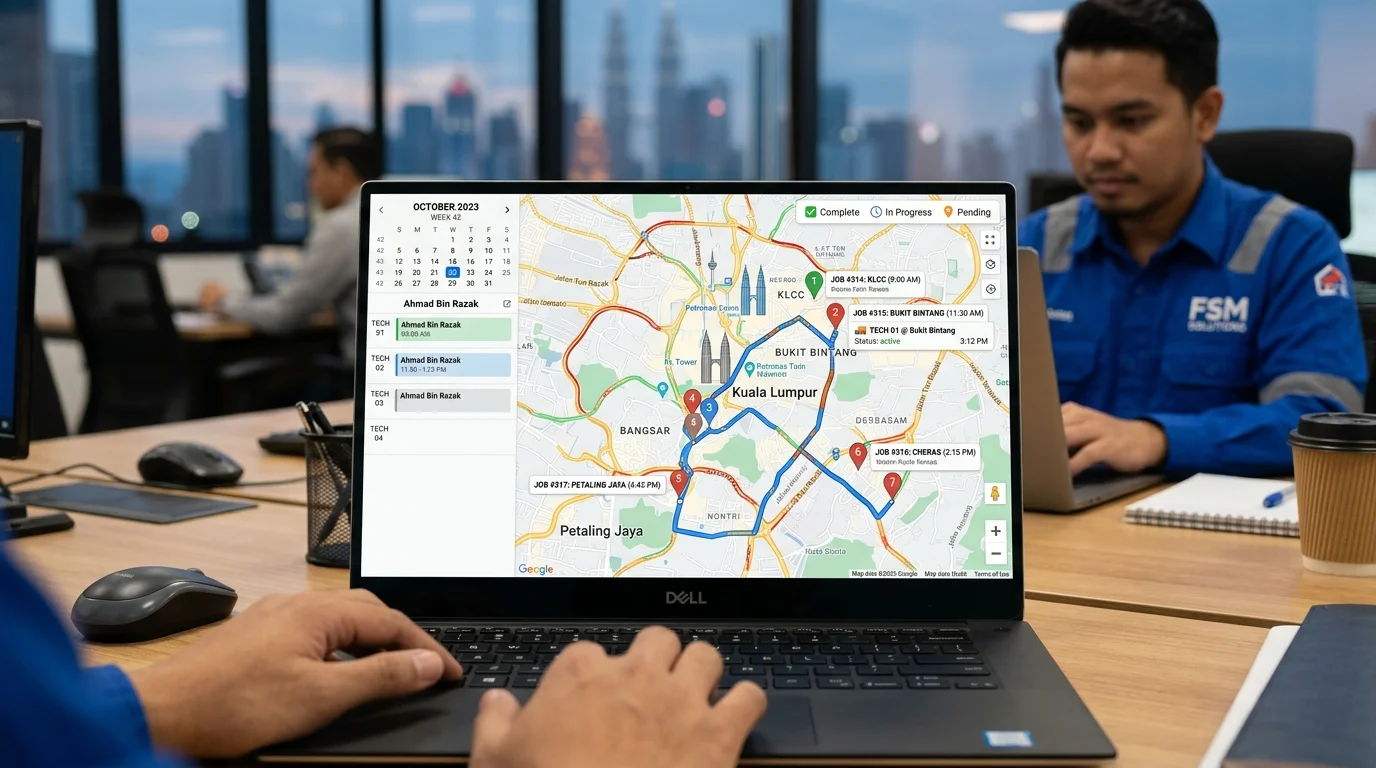
Core Capabilities of Modern Field Service Scheduling Software
Advanced dispatch solutions deliver comprehensive automation that goes far beyond basic digital calendar entries. Leading software solutions equip dispatchers and field technicians with specialized tools engineered for high-velocity service businesses:
Essential Capabilities of Field Service Scheduling Software
When selecting the ideal dispatch platform for your organization, prioritize these essential capabilities in field service scheduling software:
- Interactive Drag-and-Drop Dispatch Board: A visual multi-technician calendar board that allows dispatchers to assign, reschedule, or reassign work orders in seconds while viewing real-time crew availability.
- GPS Tracking & Route Optimization: Live map tracking that displays technician locations and calculates the most efficient travel paths, cutting idle drive time and carbon emissions.
- Skill & Territory-Based Job Matching: Intelligent dispatch rules that match incoming work requests with technicians possessing the required certifications, tools, and geographic proximity.
- Mobile Technician Work Order App: A dedicated smartphone application where technicians receive instant push notifications for new jobs, review site instructions, access customer history, and update job status (En Route, In Progress, Completed).
- Automated Customer Arrival Notifications: Automated WhatsApp and SMS alerts notifying clients when the technician is dispatched, complete with estimated arrival times (ETA) and technician profile photos.
- Integrated Digital Forms & Sign-off: Technicians capture before-and-after inspection photos, record spare parts used, and collect digital customer signatures directly on glass.
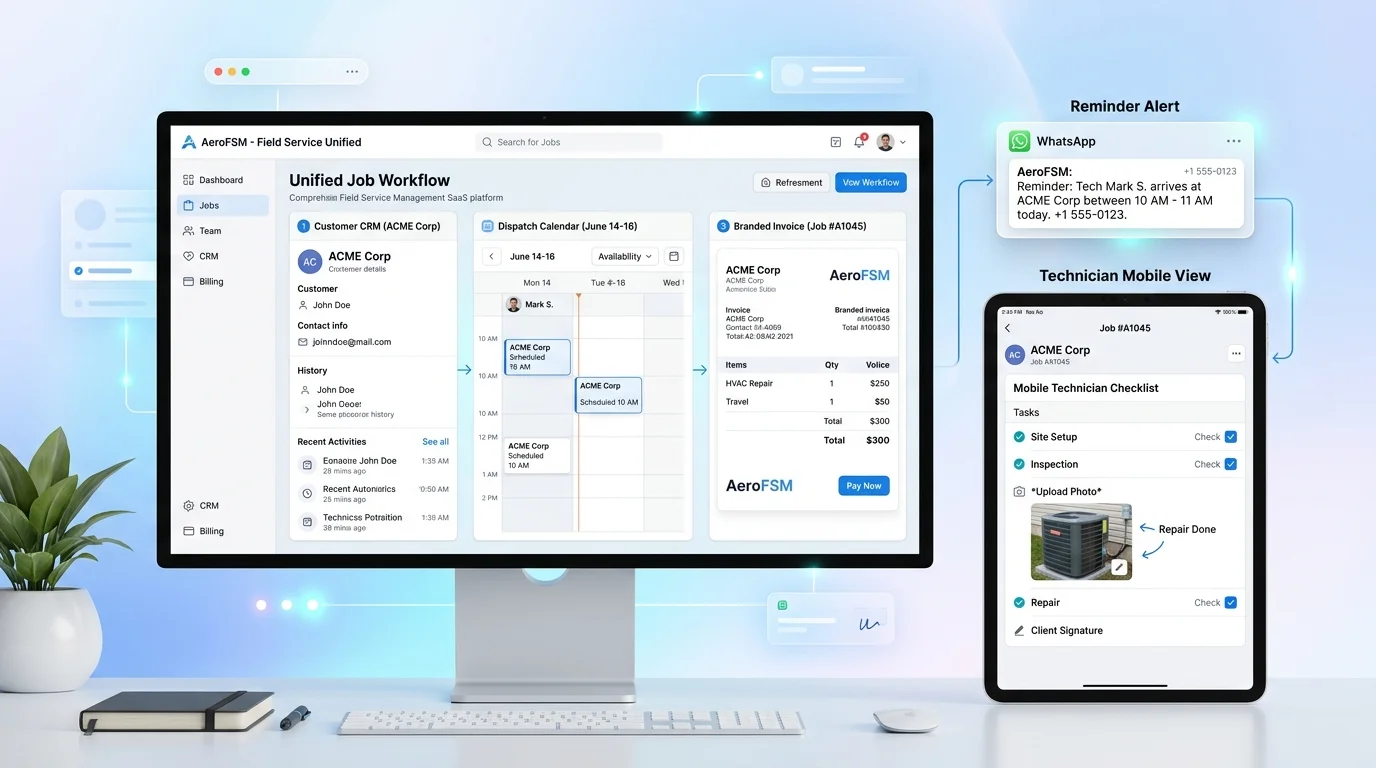
Operational Comparison: Manual Dispatch vs Field Service Scheduling Software
Replacing manual scheduling routines with cloud-based dispatch systems generates measurable returns in technician utilization, fuel economy, and customer satisfaction ratings:
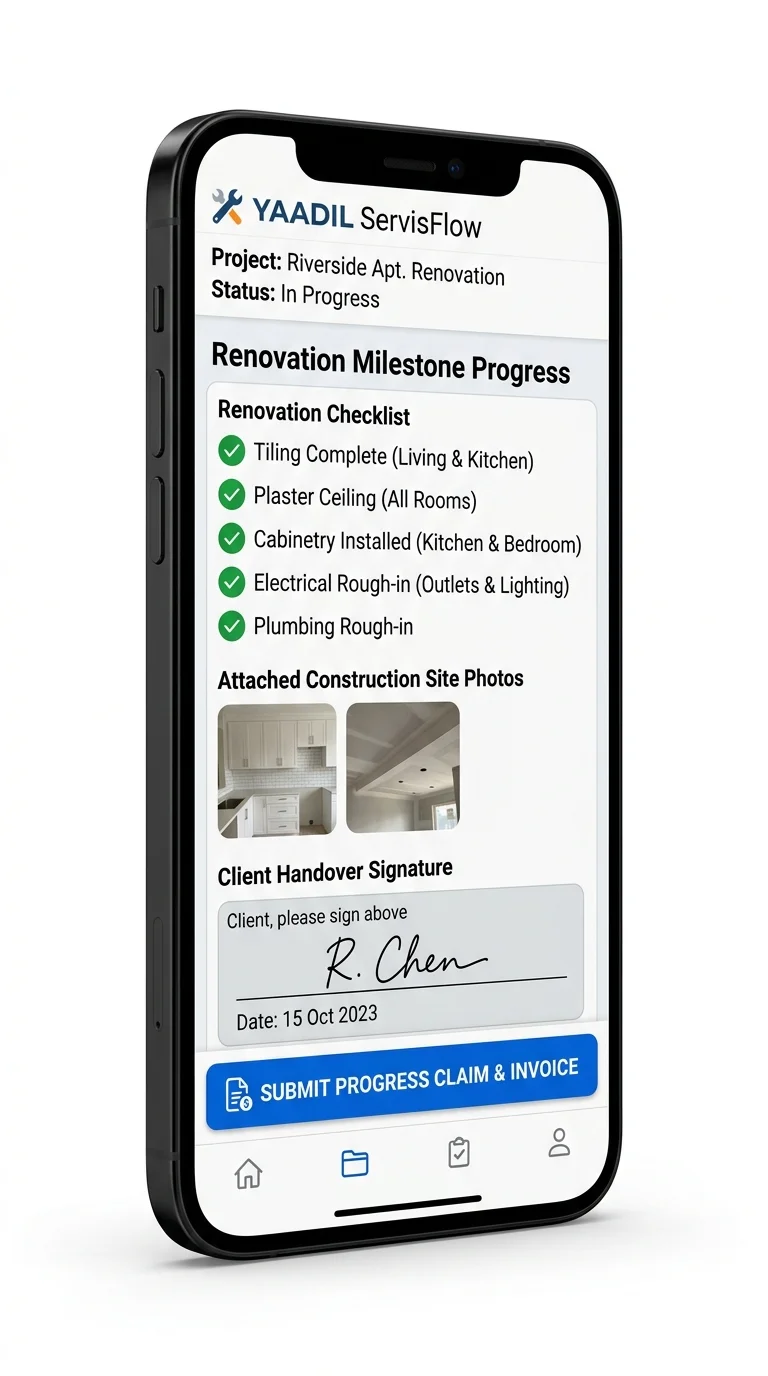
How Field Service Scheduling Software Accelerates Revenue & Cash Flow
Dispatch efficiency directly dictates company profitability. When technicians spend less time stuck in traffic or waiting for assignment updates, they complete an additional 1 to 2 billable jobs every single day. For a 10-technician company, that translates to 200 to 400 extra completed service calls each month without adding new headcount.
Furthermore, integrating scheduling with mobile billing systems ensures immediate revenue capture. As outlined in our comprehensive guide to cara urus jadual technician and job orders and featured in our breakdown of best field services management software for service teams, technicians who complete work orders digitally can generate on-the-spot invoices and collect instant payments before leaving the job site.
Equipped with our specialized best field service app for mobile technician teams and streamlined modern invoicing system for field contractors, businesses eliminate payment lags and maintain robust operational liquidity.
📌 Recommended Operational Guides:
- Cara Urus Jadual Technician & Job Order Syarikat Servis – Practical guide to managing technician dispatch and job cards in Malaysia.
- Best Field Services Management Software for Service Teams – Comprehensive buyer’s guide for enterprise FSM solutions.
- Best Field Service App for Mobile Technician Teams – Essential mobile tools for field technicians, job cards, and digital signatures.
- Modern Invoicing System for Field Contractors – Digital invoicing workflows, milestone billing, and fast payment collection.
- Field Service Management (FSM): Complete Automation Guide – Core principles of end-to-end service digitisation.
- YAADIL ServisFlow Platform – The all-in-one Malaysian field service management and dispatch automation suite.
Frequently Asked Questions (FAQ)
What is field service scheduling software and how does it work?
How does route optimization save business operating costs?
Can technicians update work orders while offline in basements or remote sites?
Does the system support automated WhatsApp customer notifications?
Can small service companies with 2 to 5 technicians benefit from scheduling software?
Conclusion: Modernize Your Dispatch Operations with Scheduling Software
In field service operations, efficiency and speed define your market reputation. Clinging to outdated paper calendars, disconnected spreadsheets, and informal messaging groups wastes billable technician capacity and degrades customer trust. Transitioning to dedicated field service scheduling software gives your leadership complete dispatch visibility, empowers technicians with real-time job tools, and delivers seamless service experiences that turn first-time callers into lifetime clients.
Ready to automate your team’s scheduling and job dispatch? Explore how YAADIL ServisFlow can streamline your service operations and elevate team productivity starting today.
[…] in our comprehensive guide on cleaning business software and demonstrated in our overview of field service scheduling software, systematized scheduling and automated quality assurance build immense client […]
[…] Billing should never operate as an isolated silo. When your billing platform is directly unified with work order management and technician scheduling, invoices automatically pull data from resolved tickets and dispatch schedules. For a deeper look at field team scheduling, explore our review of field service scheduling software to automate job dispatch. […]
[…] Field Service Scheduling Software: Automate Job Dispatch […]
[…] Field Service Scheduling Software: Automate Job Dispatch […]